
 HentaiChat
Guides
AI Generated Sex Videos: From Waifu Chat to Anime Clip
GoLove.ai Is the Pick for Anime Sex Clips
Most people picture [AI generated](/blog/ai-generated-nude-video) sex videos as typing a filthy prompt and hoping the model doesn't melt a waifu's face by frame three. In practice, the clean way to do it starts with a character whose face is already fixed, then animates her through a chat photo, a preset card or a remix.
That's why GoLove.ai is the recommended pick here. The same anime character carries from chat to a requested [photo to](/blog/image-to-porn-generator) a one-tap ~5 s video, so continuity comes built in. Three routes follow: chat photo to clip, the generator's anime modes, and building your own waifu or remixing a Feed clip. OurDream deserves a fair nod, since it also bundles chat, images and video in one subscription. The wider field is in this roundup of anime waifu companion apps.
GoLove keeps 300+ anime AI girlfriends in their own Explore category. Every route below starts from a face that's already set, so choosing her first is the step that matters.
Route One: Turn a Chat Photo Into a Clip
Route One: Turn a Chat Photo Into a Clip
If you already chat with a waifu, this is the lowest-friction route, and it never leaves the conversation.
- Open a chat with an anime character and tap the media button.
- Choose Send Photo and describe the scene in your own words.
- A photo of that same character arrives in about 20–45 s for 1 Star. Her face and body stay consistent with the avatar and with earlier photos.
- Under the photo, tap Generate Video to get a ~5 s clip of the same scene in about a minute, for 10 Stars.
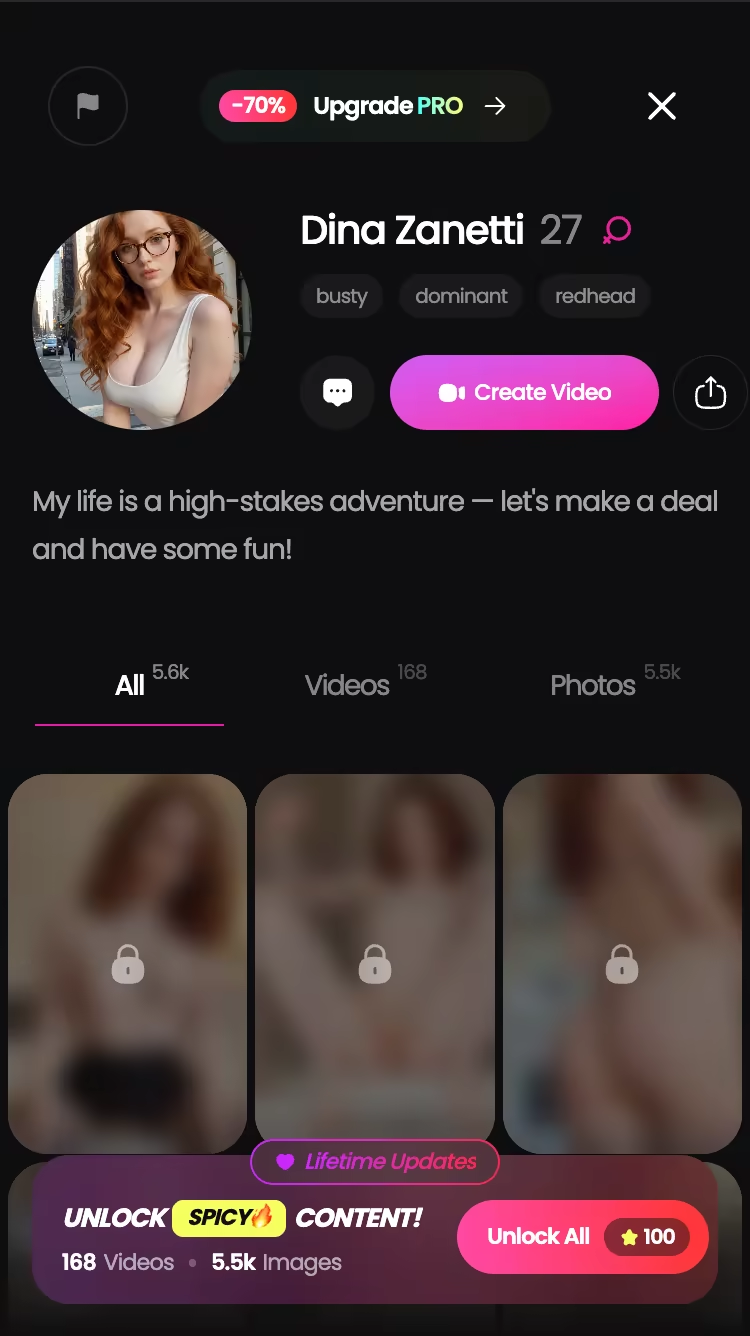
If you'd rather not type the request, the quick-reply chip "Send me a sexy video" asks for you. If you want her talking, Send Video Note returns a round clip with sound in under 90 s for 10 Stars. The conversation side is covered in how anime waifu chat works. Explicit requests work on adult characters only.
Route Two: The Generator's Anime Video Modes
Route Two: The Generator's Anime Video Modes
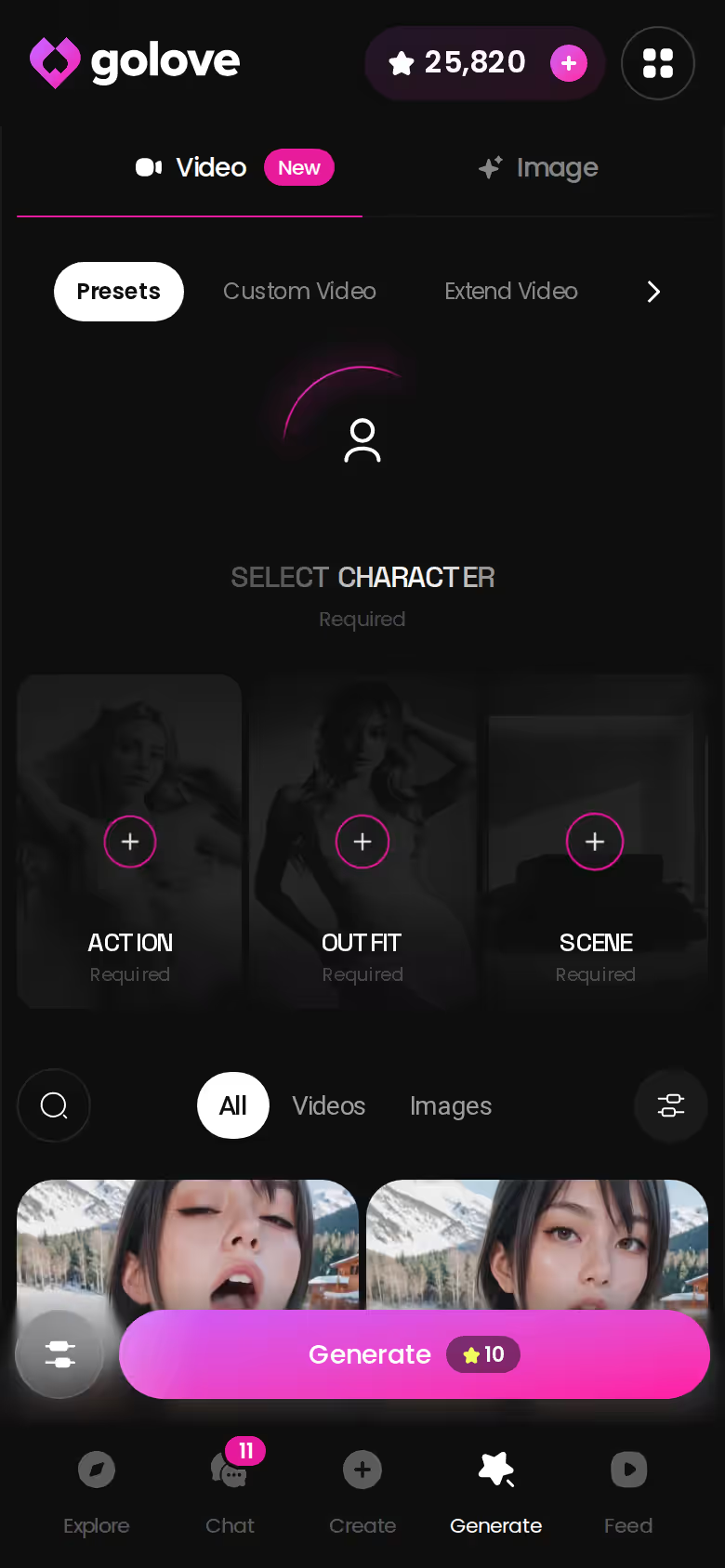
Pick the character, then the preset card
Tap Generate, open the Video tab and swap the avatar in the top-right corner to any GoLove character or one you built yourself. Then stack visual cards: an action, optional clothes and an optional background. One Generate tap finishes the job, with no prompt engineering and no face roulette.
20 anime and 16 anime-trans modes
That makes 36 anime-style video modes out of 147 in total. The anime picture set adds hentai-only modes such as tentacle, ahegao, paizuri and stomach bulge, so the style has its own options instead of being bolted onto a realistic engine.
When the preset isn't enough
- Custom Video lets you write the scene yourself.
- Image to Video animates a photo already generated of your character.
- Extend Video keeps a clip going past where it stopped, and Multi-Scene chains several moments together.
Each run makes 1, 2 or 4 videos at 480p, 720p or 1080p. Reverse video and add audio are available on top.
Route Three: Build Your Own Waifu, or Remix One
Route Three: Build Your Own Waifu, or Remix One
Design her from a description
The Create wizard opens with a Female/Trans toggle, Realistic and Anime cards, and a Design with AI shortcut. You can write up to 2,000 characters describing her hair, her temperament and the way she teases. In about a minute she exists with a name, an @handle, a bio and a portrait, for roughly 3 Stars observed. New characters are private by default. She then works in both chat and the generator, so routes one and two apply to her as well.
Remix a Feed clip onto her
On the vertical Feed, the magic-wand Remix opens the generator with that clip's character, action, outfit and scene already set. Swap in your waifu, change anything else you like, and regenerate. You're borrowing someone else's recipe and serving it with your own girl.
There's also a side door through Series. Episodes 1–2 of every series are free to watch, and a Create Video of the cast button sits right under the player.
What an Anime Clip Costs in Stars and Plans
What an Anime Clip Costs in Stars and Plans
| Option | Price (approx., checked Oct 2026) | What it gets you |
|---|---|---|
| GoLove Star packs | about $9.99 (30 Stars) to $299.99 (3,000) | Pay-as-you-go images and clips |
| GoLove PRO | about $19.99/month or $119.88/year | 100 Stars a month, all NSFW content, unlimited Feed, image generation |
| GoLove ULTRA | about $59.99/month or $359.88/year | More monthly Stars (amount not confirmed), 8,000-message memory, stronger models |
| OurDream | from about $19.99/month, or about $9.99/month annually | Chat, images and video in one plan, with media drawn from a separate DreamCoins balance |
OurDream earns credit for putting chat, images and video in a single plan.
On the GoLove side, 1 Star buys an image. The pricing card lists video from 5 Stars, and a 720p generator run or a chat [photo-to-video](/blog/how-to-make-ai-porn-videos) costs 10. That means PRO's 100 monthly Stars cover roughly ten 720p clips.
On GoLove.ai, the order that works:
- Pick a character — or build one to your taste
- Say something real: she remembers your chat history
- Open Chat Settings: pick her voice, lust level and reply length
- Ask her for a photo in the chat
- Want a set pose or outfit? The image generator has 35 realistic poses and 21 outfits
Fine print: prices vary by region and promo. New users see a limited-time −70% first-subscription offer, and GoLove shows no end date for it. Every account also collects 2 free reward Stars a day.
Once a character is chosen, the first 720p clip costs one preset card and 10 Stars. That's the cheapest way to see whether her face holds up in motion.
Where GoLove.ai Shines for Video, and Where It Doesn't
Where GoLove.ai Shines for Video, and Where It Doesn't
Where it shines
- Continuity from chat photo to clip, with the same face and the same body.
- Dedicated anime and anime-trans mode sets.
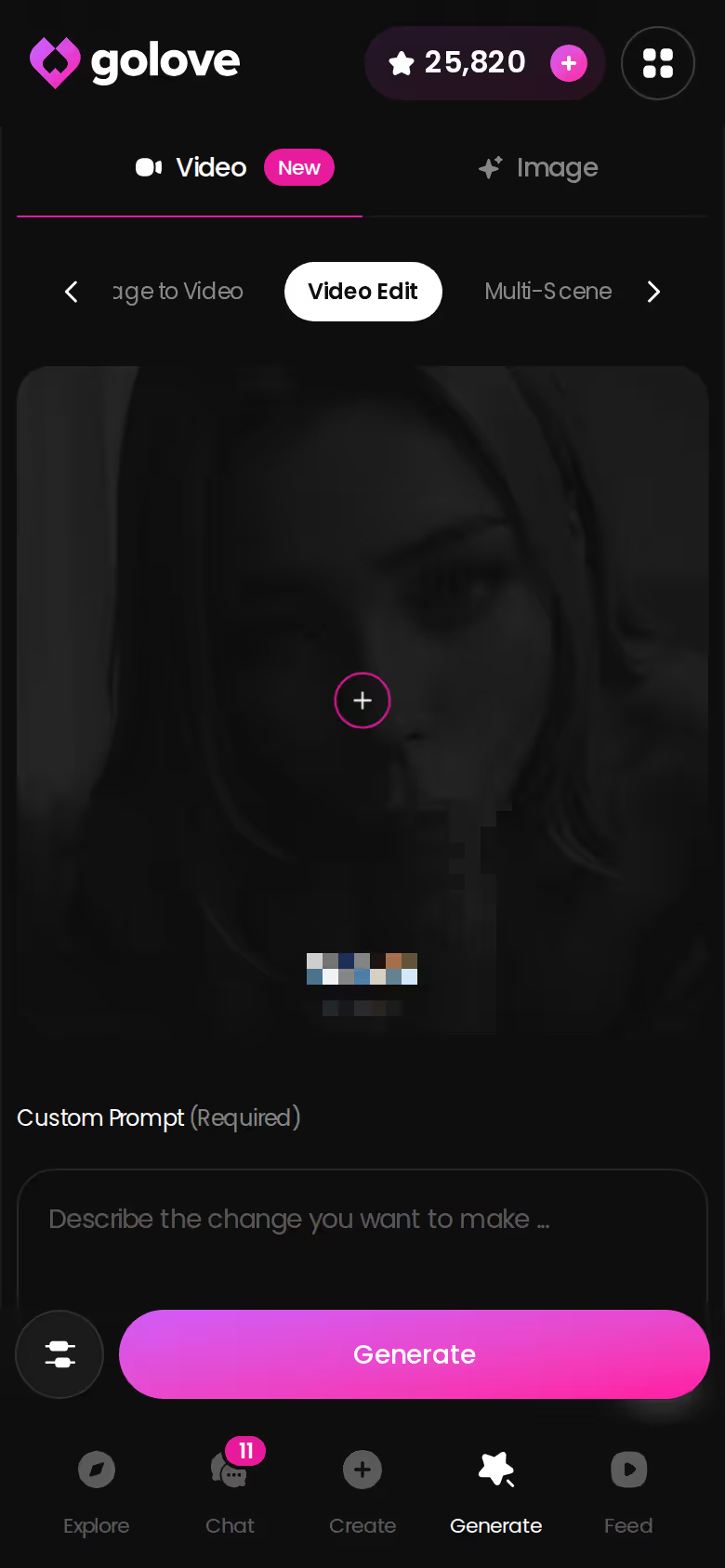
- Video Edit fixes a clip you already made instead of forcing a reroll.
- Remix copies a clip's exact settings.
- Generated media lands in a per-character gallery sorted by date.
Where it falls short
- The chat-photo clip is short, around 5 s.
- Video burns through Stars quickly against PRO's 100 a month.
- Anime-style Feed filters are PRO-only.
- Series episodes from 3 on need PRO plus a few Stars per episode.
MEET YOUR AI COMPANION
Hundreds of characters, one that fits you.
GoLove.ai Video Details That Couldn't Be Verified
GoLove.ai Video Details That Couldn't Be Verified
A few details couldn't be confirmed. Treat them as open questions and check the current plans in the app:
- Free generation: what a free account can make beyond the 2 daily reward Stars and the limited daily Feed.
- Feed quota: the exact number of free Feed videos per day.
- Refunds: the cancellation and refund terms.
- How long the −70% promo and the regional prices last.
- How many monthly Stars ULTRA includes.
None of these gaps affect the core loop of chat photo, clip and generator, which the app lays out plainly. One hard line applies throughout: never animate a real person without consent, and keep everything to adult characters.
Which Route to Start With, and Who Should Skip It
Which Route to Start With, and Who Should Skip It
Verdict: GoLove.ai is the pick for anime sex clips, because a chat photo becomes a ~5 s clip of the same waifu, backed by 20 anime and 16 anime-trans modes plus Remix. Best for: adults who already chat with a waifu and want her in motion rather than a stranger. Grade: Keeper.
OurDream is the fair choice for anyone who mainly wants chat, images and video under one subscription at a similar price.
For GoLove, start with the free Series episodes 1–2, then try the chat photo route, then move to the generator. Skip it if the goal is a real person's likeness or a strictly no-spend experience.
Building your own waifu takes about a minute and roughly 3 Stars. Every route above then works on her from the first message.
18+ only · Fictional anime characters · Anonymous start
Start ChattingFrequently asked questions
Can you make AI generated sex videos of anime characters on a phone?+
Yes. GoLove.ai's mobile app has Generate in the bottom bar, so an AI sex video of an adult anime character takes a preset card and one tap.
Does an anime waifu's face stay the same from chat photo to video?+
Yes, on the chat route. Her face and body match the avatar and earlier photos, and Generate Video turns that scene into an AI sex clip.
How long is a clip made from a chat photo, and how fast does it arrive?+
About 5 s, arriving in roughly a minute for 10 Stars. That AI sex clip builds on a photo that took about 20–45 s and 1 Star.
Where do generated photos and videos end up after you make them?+
Straight into a per-character gallery sorted by date. Every AI generated photo and sex video of one waifu sits together, easy to revisit.
How do cancellation and refunds work on a GoLove PRO plan?+
We couldn't confirm GoLove.ai's cancellation or refund terms. Check the current plans in the app before buying PRO to make AI sex videos.
Who should skip AI sex video generators like this one?+
Anyone after a real person's likeness: never animate someone without consent. Also skip AI sex video generators if you want a strictly no-spend experience, since clips cost Stars.
Keep reading
 Guides
How to Make AI Porn Videos: What Works in 2026
How to make AI porn videos: GoLove.ai wins with preset-card video, photo-to-video & character memory — see the actual steps.
 Insights
AI Adult Videos: Watch the Series, Then Make Your Own
AI adult videos for anime fans — GoLove.ai wins on video you can steer: watch a Series, chat with its star, remix clips in 20 anime modes. See how.
 Insights
AI Sex Video Maker: 147 One-Tap Modes, Anime Included
AI sex video maker compared: GoLove.ai wins on preset video modes — 20 anime, 76 realistic — plus Multi-Scene and photo-to-video. See the Star costs.